Instructions on adding a guest
2.1 Making a reservation
After going through these instructions, you will be able to make a reservation.
Make a new reservation
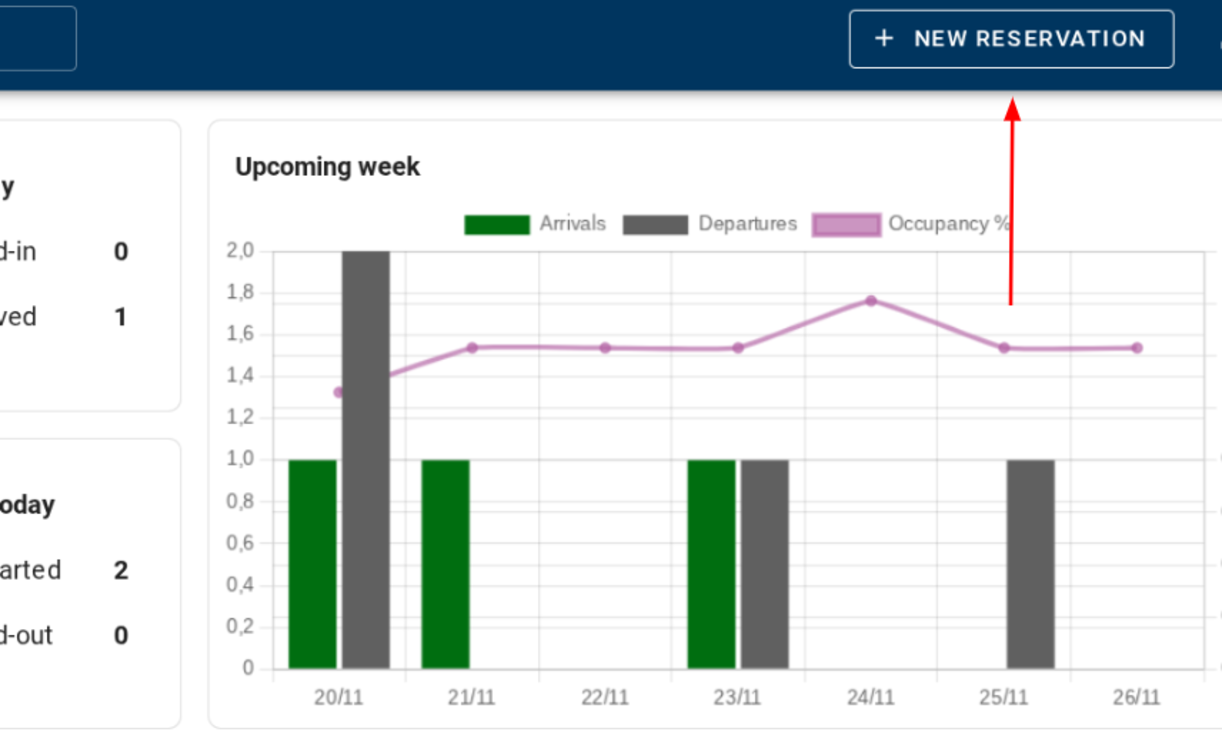
On the homepage, you click on ‘new reservations’ on the top of the right side.
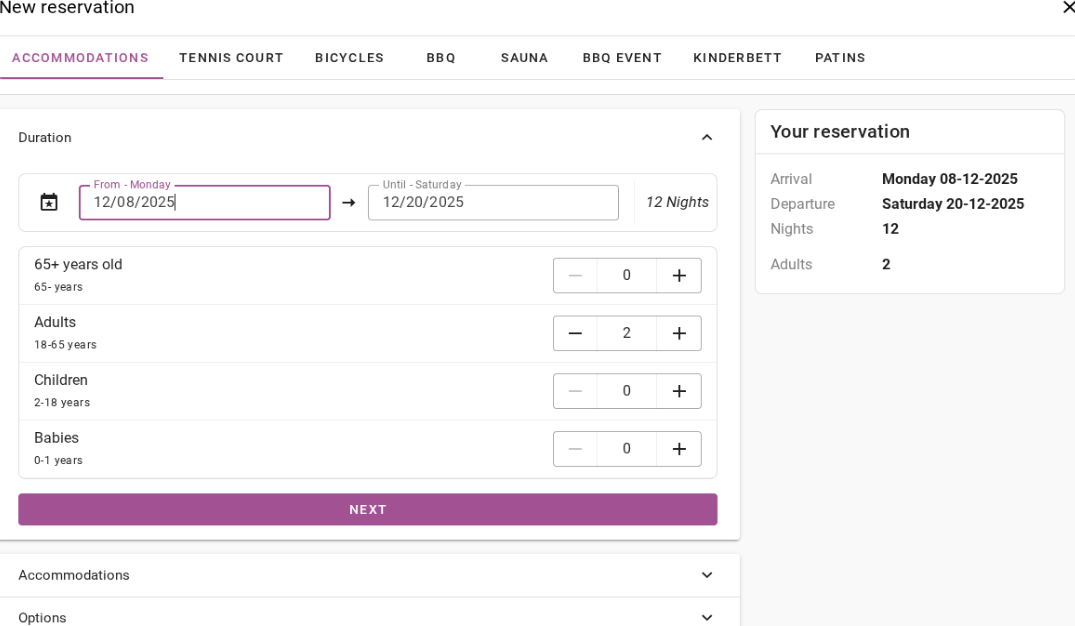
1.Enter desired information
You will then be directed to a page where you can enter the desired booking period, and number of guests. The next step will be to select the accommodation, add additional options, enter guest details and other items.
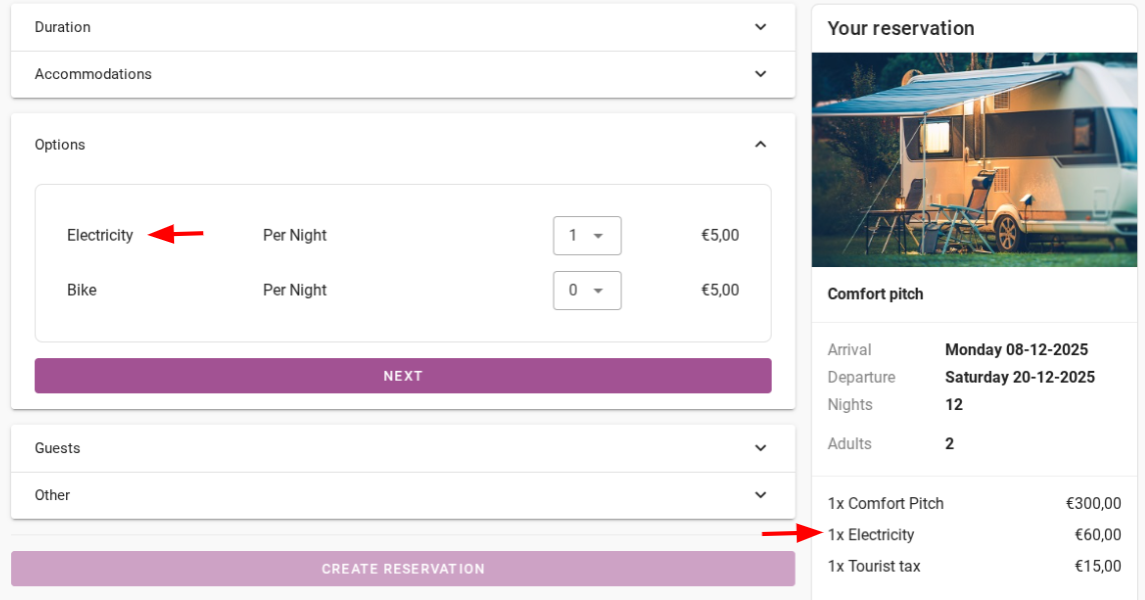
2.Add additional options
For example, the option in this example is electricity per night. This requires payment of €5 per night.
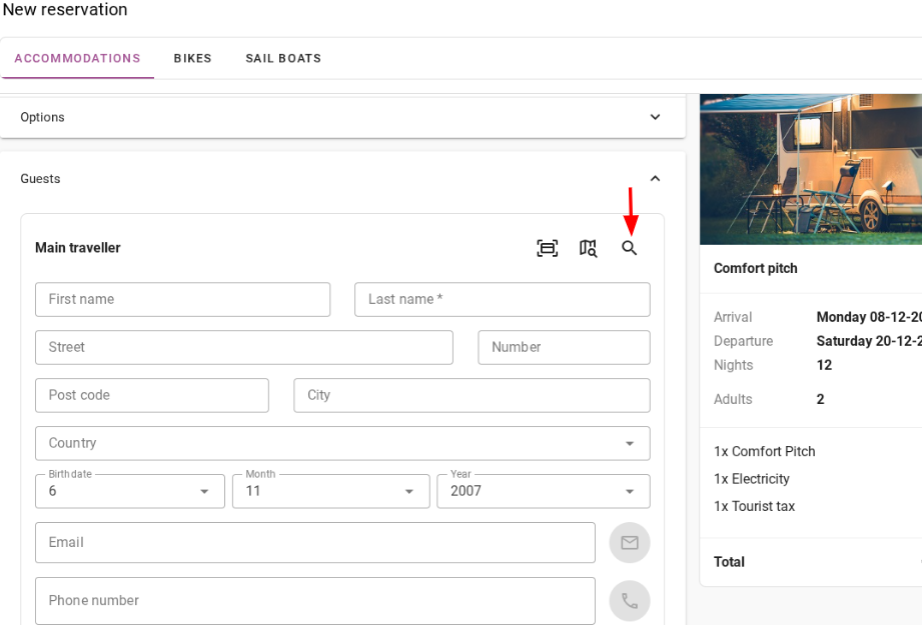
3.Enter guest's details
Then enter the guest's details. If the guest has stayed in your accommodation before, you can find him via the loupe icon. You can search by name, number, city, e-mail address or guest number.
4.Select pitch and status
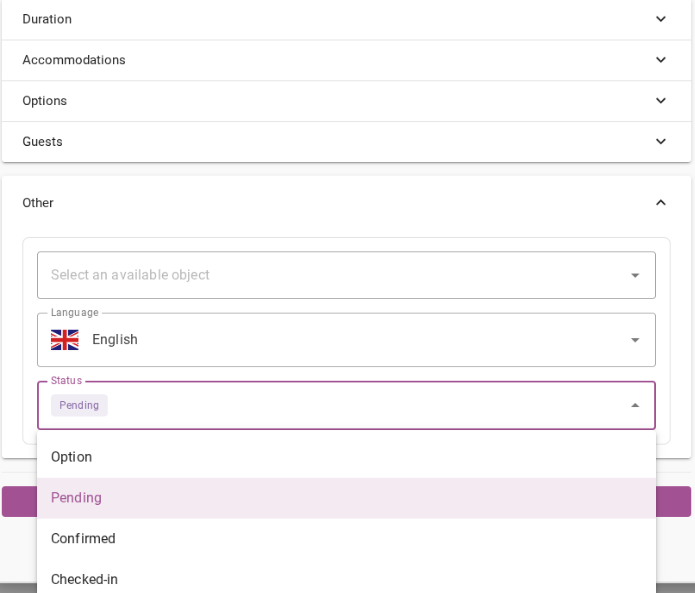
Then you get to the 'other' page. There you can assign the guest an available pitch, and the status of the reservation (pending, confirmed, checked in). The preferred language is determined automatically based on the guest's selected country.
5. Create reservation
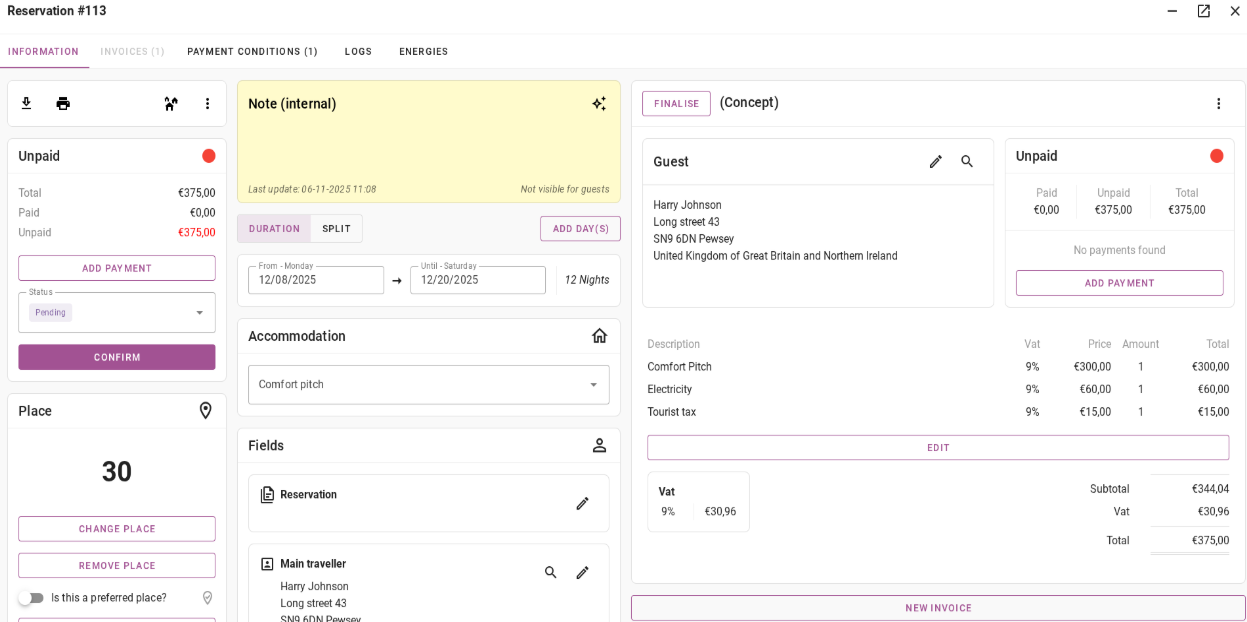
Finally, click 'create reservation'. After which you are taken to the overview of the reservation made. The reservation overview shows all sorts of reservation information, such as guest details, reservation status, concept/invoices, etc.
Ancora nessun commento.
per essere il primo a scrivere un commento.